
Featured
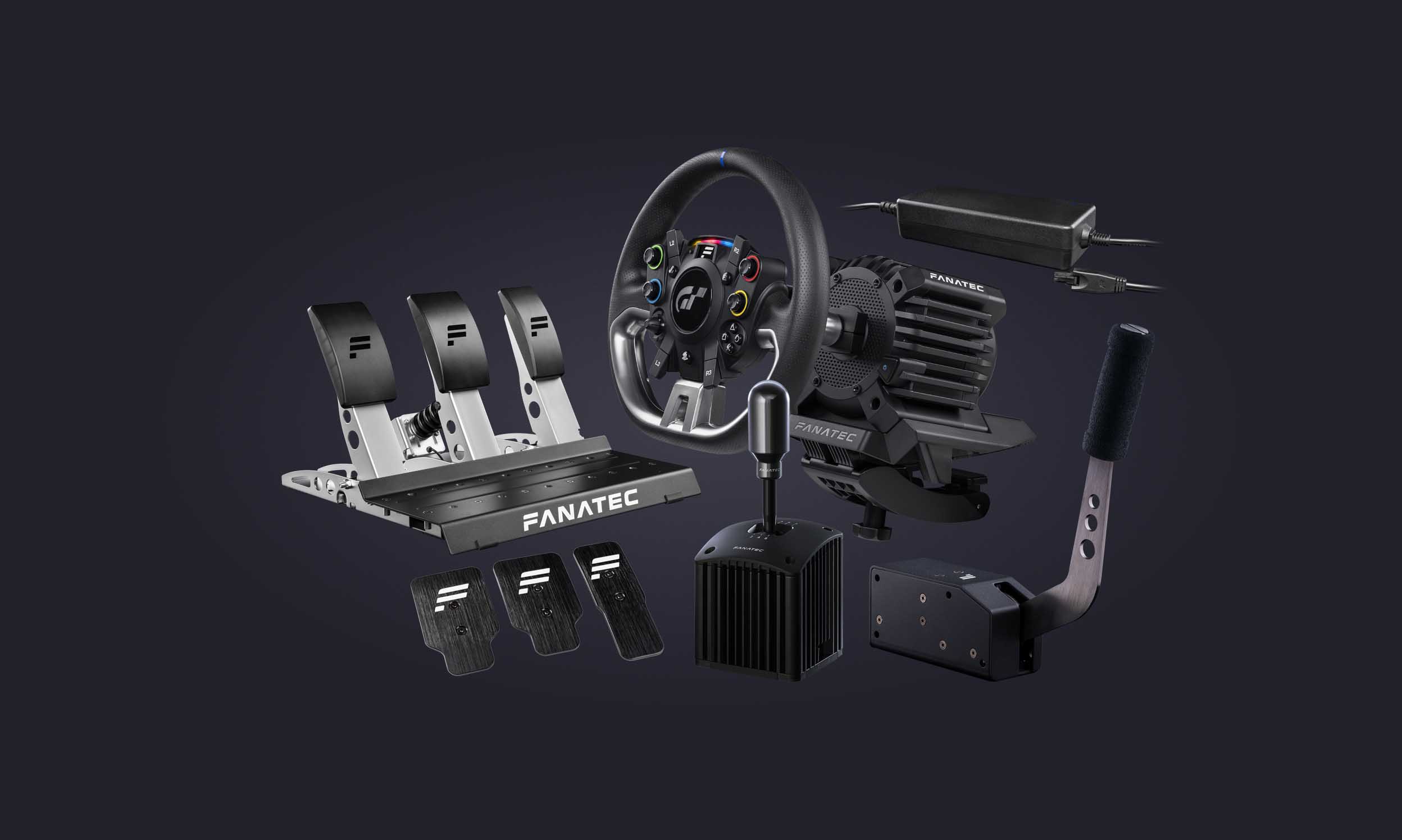
Fanatec Sim Racing Wheel Ultimate Buyer’s Guide 2024-2025

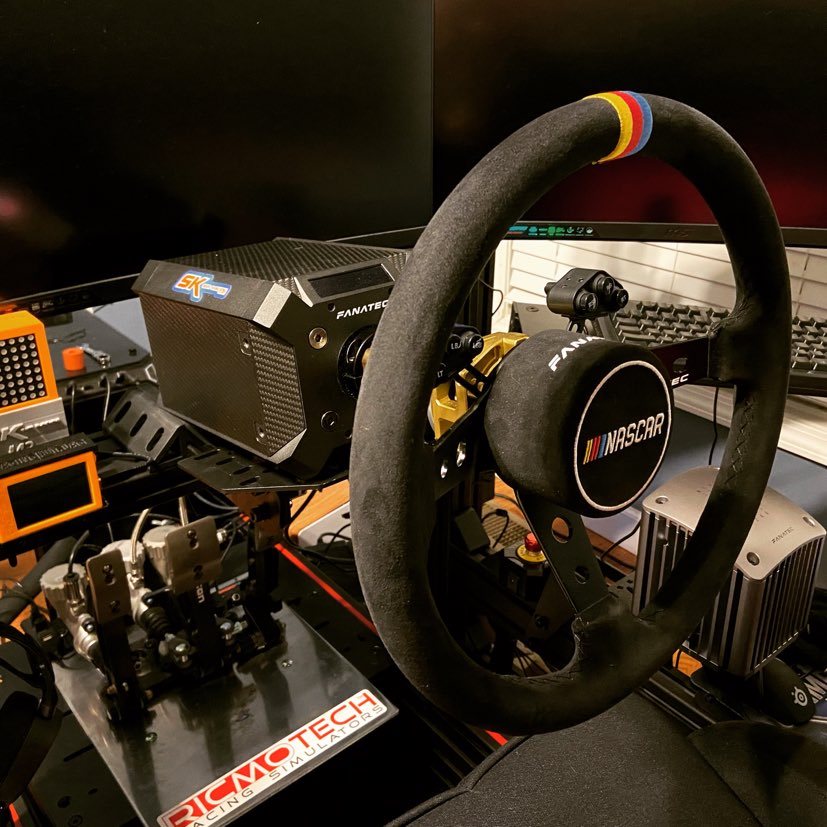
**Experience Authentic Oval Racing with the ClubSport Steering Wheel NASCAR V2 for Xbox**
Rev up your engines and prepare for an unparalleled oval racing experience with the officially licensed ClubSport Steering Wheel NASCAR V2 for Xbox. This exceptional product is a combination of the ClubSport Universal Hub V2 for Xbox and the Podium Wheel Rim NASCAR, designed to bring the thrill of NASCAR racing to your sim setup. Compatible with any FANATEC® wheel base, including attached peripherals like shifters, pedals, or handbrakes, this bundle ensures seamless compatibility with PC, Xbox One® and Xbox Series X|S for an immersive racing adventure.
**Crafted with Authentic and Premium Materials**
The first thing you’ll notice about this wheel is its commitment to authenticity and premium materials. The rim is meticulously crafted from brushed, anodized aluminum and wrapped in genuine Alcantara©, a hallmark of quality in the racing world. The large 350mm diameter and dished, three-spoke design are tailored for modern NASCAR vehicles, ensuring you’re fully immersed in the racing action.
**Loaded with Features for Total Control**
The ClubSport Steering Wheel NASCAR V2 is packed with features designed to put you in complete control of your racing experience. Magnetic shifters provide exceptionally crisp and rapid shifting, thanks to the preinstalled ClubSport Magnetic Paddle Module. The strong magnetic resistance and satisfying ‘click’ ensure each shift feels solid and precise. The inclusion of both small and large paddles accommodates different wheel sizes, catering to your preferences.
**Customizable Button Clusters**
Take customization to the next level with adjustable button clusters. Position them wherever suits your racing style best or remove them entirely for a clean and streamlined appearance. Don’t worry about losing control, as integrated buttons on top of the Hub offer an alternative control option.
**On-the-Fly Tuning**
Access the FANATEC® Tuning Menu with ease while driving, thanks to the dedicated Tuning Button. This feature allows you to adjust your wheel base force feedback and other hardware settings on-the-fly, ensuring you’re always in tune with your race conditions.
**FunkySwitch™ for Versatility**
The 7-way FunkySwitch™ is a versatile input device that combines a d-pad, push-button, and rotary encoder functionalities. Press the Tuning Button to bring up the Tuning Menu on the integrated display, and use the FunkySwitch™ to make precise adjustments to your settings.
**Future-Ready Design**
Investing in the ClubSport Steering Wheel NASCAR V2 for Xbox & PC is not just about the present but also the future. The exchangeable QR1 Wheel-Side (ClubSport Quick Release Adapter) means you’re ready for an easy upgrade to the next-generation QR2 system (coming soon), ensuring that your racing setup remains on the cutting edge.
In conclusion, the ClubSport Steering Wheel NASCAR V2 for Xbox & PC is a testament to Fanatec’s dedication to delivering authentic and high-quality sim racing experiences. With its premium materials, versatile features, and future-proof design, it’s a must-have for anyone seeking the thrill of NASCAR racing in the comfort of their own sim rig. Get ready to hit the virtual oval with precision, style, and control like never before.
**Embrace Nostalgia with the Podium Steering Wheel Classic 2**
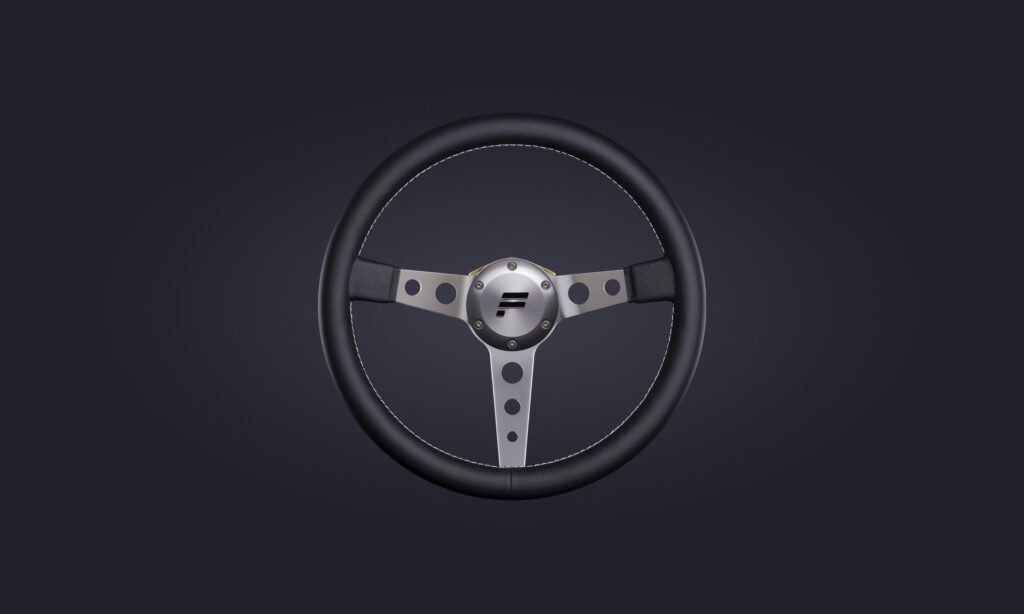
Step back in time and experience the allure of vintage road cars and historic racing cars with the Podium Steering Wheel Classic 2. This meticulously crafted wheel is designed to transport you to an era when driving was an art, and classic cars ruled the road.
**A Perfect Bundle of Authenticity**
The Podium Steering Wheel Classic 2 is a bundled offering, combining the excellence of the Podium Hub with the ClubSport Wheel Rim Classic 2. This combination ensures that you not only get an authentic classic driving experience but also a sturdy and reliable setup. The Podium Hub stands as the strongest and most compact way to attach a wheel rim to your Fanatec wheel base.
**Crafted with Premium Materials**
The rim of the Podium Steering Wheel Classic 2 exudes quality, featuring polished and anodized aluminum and a smooth genuine leather covering. Every touch conveys the fine craftsmanship and attention to detail that has gone into creating this wheel.
**An Authentic Driving Experience**
The large 35 cm diameter of this wheel is tailored to mimic the sensation of driving classic cars, offering a thin, large diameter rim that authentically recreates the feel of a bygone era. When you grip this wheel, you’ll feel like you’re behind the wheel of your favorite vintage automobile.
**Built for Strength and Durability**
The Podium Hub’s space frame design not only keeps the electronic components secure but also ensures it remains lightweight. The central hub, crafted from a single piece of anodized aluminum, guarantees maximum strength and durability, ensuring this wheel will be your faithful companion for years to come.
**Pure and Stripped-Back Design**
When you detach button clusters and shifter modules, the bare Podium Hub reveals itself in its purest form. This stripped-back design is a perfect match for the Classic wheel rim, showcasing the wheel’s elegance and simplicity.
**Endless Possibilities with Modular Elements**
The Podium Hub’s versatility shines when you attach different wheel rims, making it compatible with various modular components. Whether you opt for the ClubSport Button Cluster Pack, Podium Advanced Paddle Module, or Podium Button Module Endurance, this hub adapts effortlessly to your preferences and racing style.
In conclusion, the Podium Steering Wheel Classic 2 offers a unique opportunity to relive the glory days of classic car racing. Its authentic materials, vintage-inspired design, and adaptability through modular components make it a must-have for any enthusiast seeking to capture the essence of classic automobiles in their sim racing setup. So, grab the wheel, start your engines, and embark on a journey through time with the Podium Steering Wheel Classic 2.
Podium Porsche 911 GT3 R
Enter the world of the Podium Porsche 911 GT3 R, a wheel that not only elevates the aesthetics of your sim racing rig but also offers a top-tier sensory experience.
With a generous 320mm diameter, this wheel is not just a beauty; it’s a masterpiece of craftsmanship. It comes equipped with the Podium Button Module Endurance, a control center that caters to all your quick-access needs, particularly tailored for GT-style driving. This module boasts 2 rotary encoders that can be configured as 12-position switches or endless rotary encoders. A remarkable 2.7-inch OLED display replaces the previous 7-segment LED found on the BMW GT2 wheel, significantly enhancing functionality. Complementing this are the 9 high-intensity RGB RevLEDs and 6 RGB FlagLEDs, providing you with an abundance of real-time data at your fingertips. This wealth of information not only deepens the immersion of driving a GT car but also offers valuable insights to help you maximize your performance.
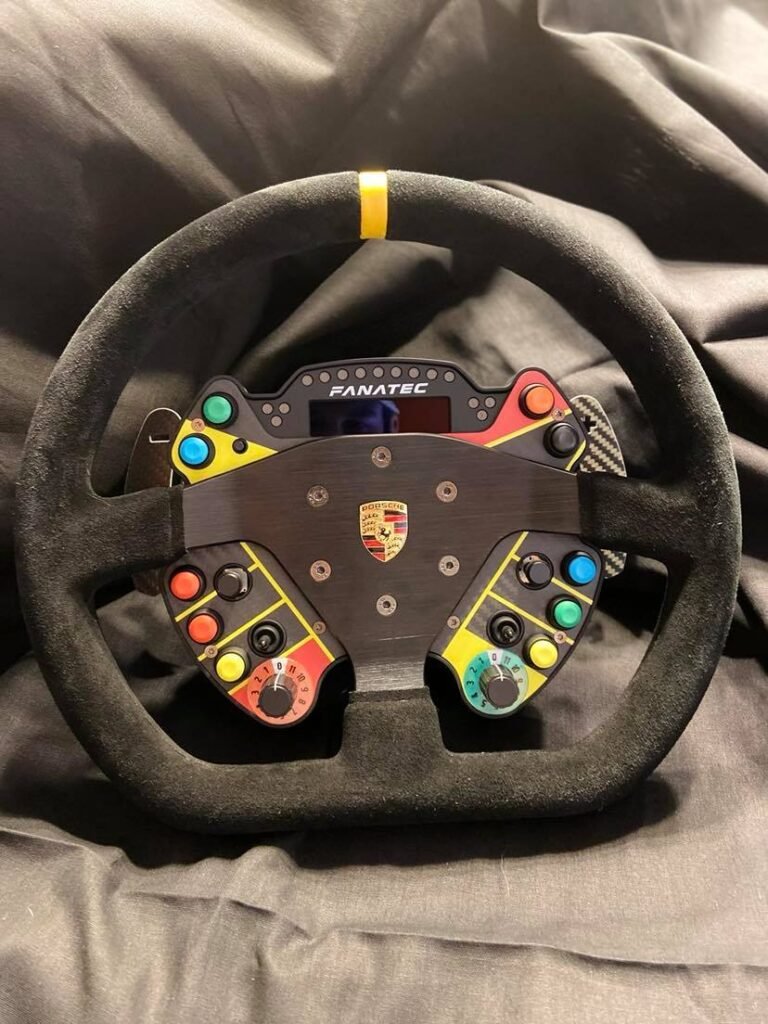
Your investment also includes the impressive Podium Advanced Paddle Module, a game-changer for standing starts with its dual-clutch analog paddles, among other potential applications. The four magnetic shifters add to the experience, delivering a precise and robust tactile feedback that enhances your overall driving sensation.
Undoubtedly, this complete wheel represents a significant investment. However, it is an investment in quality and presentation that is well worth every penny. The Podium Porsche 911 GT3 R wheel not only meets but exceeds expectations, leaving you far from disappointed. It’s a true masterpiece that not only enhances your sim racing setup but also immerses you in the world of high-performance GT racing like never before.
Clubsport BMW GT2 V2
Introducing the Clubsport BMW GT2 V2, a wheel that stands out as the ultimate choice when you’re limited to just one wheel. With its impressive 320mm diameter, this wheel exudes a sense of robustness and quality that’s immediately palpable when it rests in your hands. Crafted as a faithful replica of the real-life BMW GT2 car’s wheel, it delivers not only an authentic feel but also impeccable ergonomics and top-notch materials. Notably, the V2 version incorporates the ClubSport magnetic shifters, providing an unparalleled sense of quality and precision.
This wheel carries some weight, and when combined with its larger diameter, it might present a challenge when used with a CSL Elite wheelbase. However, our experience with this wheel on the DD1, DD2, and CSL DD has been exceptionally enjoyable.
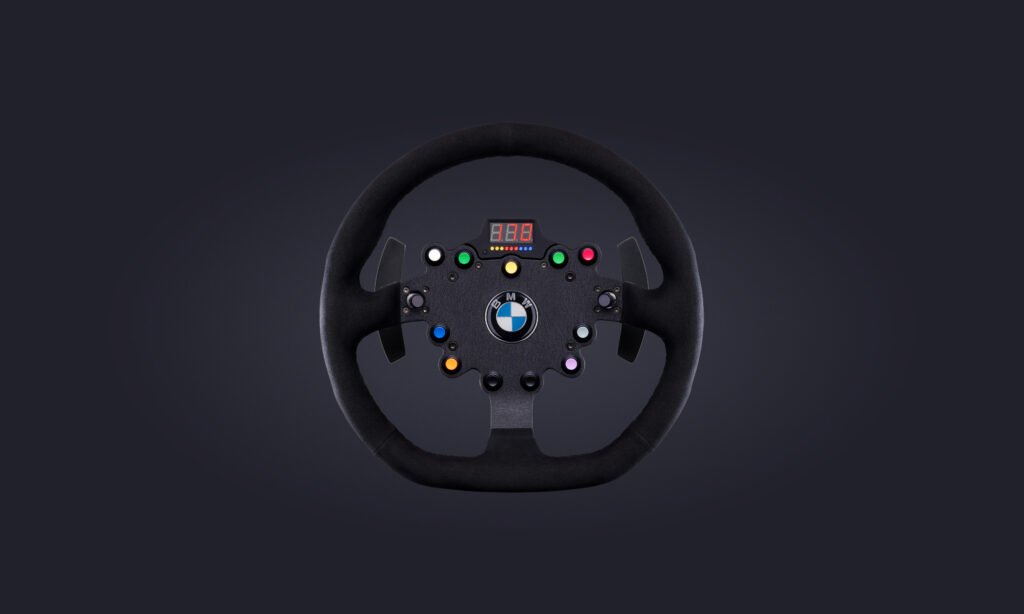
It’s worth noting that the BMW GT2 V2 forgoes the inclusion of the two vibration motors integrated into the rim, a feature present in the V1 iteration. While this feature can be a nice addition, we haven’t found it to be particularly essential.
In sum, the Clubsport BMW GT2 V2 has earned its place as one of our most frequently used Fanatec wheels. Its solid construction and high-quality build make it an excellent choice for a wide range of vehicles, spanning from Formula cars to rally machines.
Furthermore, the V2 iteration introduces a modification to the Quick Release Design, offering users the option to upgrade to Fanatec’s QR2 system, enhancing the wheel’s adaptability and future-proofing your sim racing setup.
CSL Elite WRC
Introducing the CSL Elite WRC, a wheel that strikes a perfect balance between value and versatility in the Fanatec lineup. While cost-cutting measures are evident in certain aspects, like the plastic construction of the LED display atop the rim, the overall finish in critical areas remains commendably high-quality.
The newly incorporated quick release system stands out as a significant improvement, effectively eliminating the flex that was present in the previous version. The wheel boasts an attractive Alcantara finish, complete with precision stitching, giving it a premium feel. Moreover, the tactile experience of the buttons is equally impressive, ensuring a satisfying response during gameplay. Notably, the metal shifters provide robust and enjoyable tactile feedback that enhances the overall driving experience.
One of the standout features of the CSL Elite WRC is its lightweight design. While it may feel less substantial in your hands, this attribute comes with distinct advantages, particularly when paired with a wheelbase with less power, such as the CSL Elite Wheelbase.
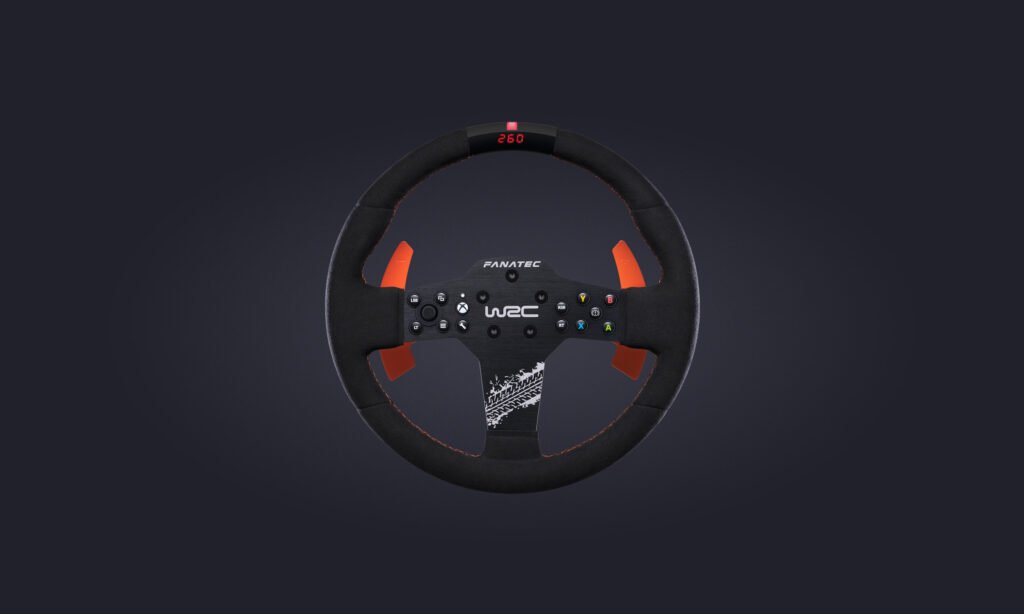
The 300mm round wheel size strikes an ideal balance for versatility across a wide range of car choices and wheelbases. For instance, a larger rim might demand more torque to offset its leverage on the base, making it less suitable for the CSL Elite Wheelbase. On the other hand, the CSL Elite WRC’s wheel size is not so small that it compromises the realism when driving various vehicle types, including rally and GT3.
When evaluating the cost-effectiveness and adaptability of this wheel, it emerges as an intelligent choice for newcomers to the Fanatec ecosystem. It offers the opportunity to drive a diverse array of cars without the need to invest in multiple wheels, making it an excellent entry point for those seeking a wide-ranging sim racing experience.
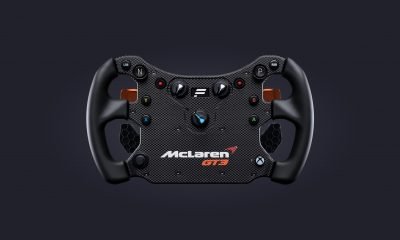
McLaren GT3 V2
The original McLaren GT3 wheel was widely regarded as one of Fanatec’s standout sim racing wheels, offering exceptional value within the industry. It was lauded for its lightweight design, ergonomic build, feature-rich functionality, and its ability to cater to a wide range of cars and disciplines, particularly in GT and Formula racing, all without the burden of an exorbitant price tag.
Now, with the introduction of the CSL Elite McLaren GT3 V2, significant improvements have been made to an already outstanding wheel.
One of the key enhancements is the newly designed tool-less Simplified Quick Release system, which simplifies the process of changing wheels, providing users with added convenience. But the improvements don’t stop there.
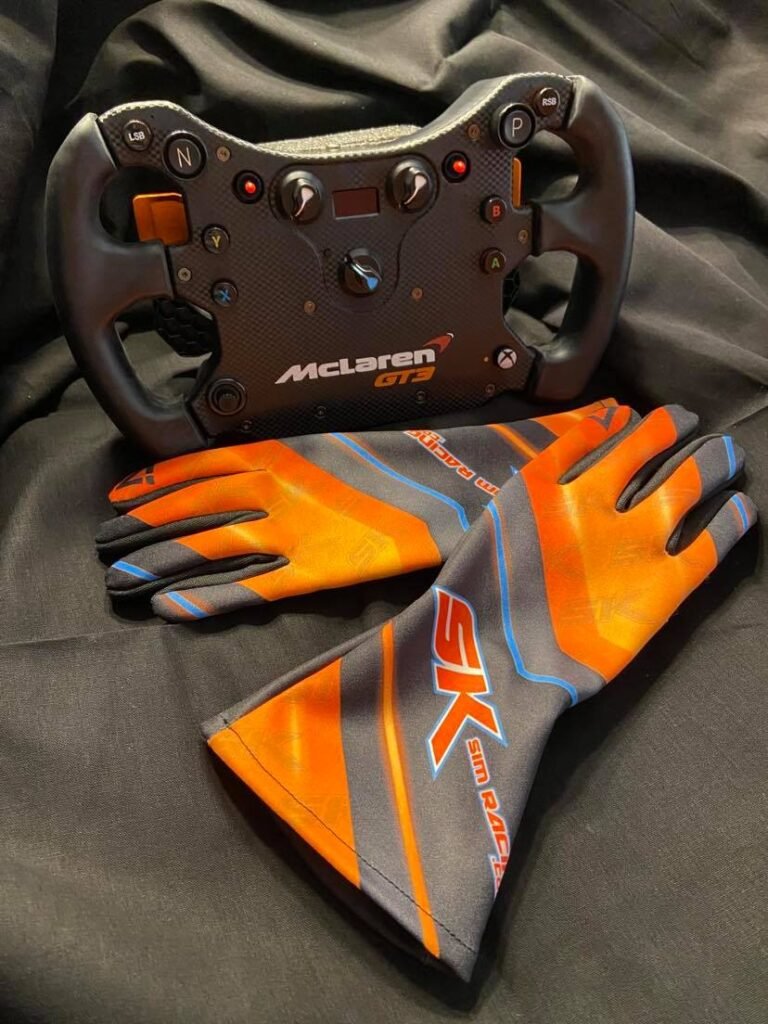
The V2 wheel introduces two rotary encoders, replacing two of the three multi-position switches featured on the V1 model. This upgrade empowers users to send precise up-and-down signals to the simulator, enabling fine-tuned adjustments to critical parameters like brake bias and engine mapping. This level of control greatly enhances the overall driving experience, eliminating conflicts between the simulator and the encoder position.
Another noteworthy addition to the V2 wheel is the magnetic shifter. It offers a distinct tactile sensation compared to the paddle shifters of the V1 wheel. While preferences regarding the shifter may vary among individuals, many users have commended the well-defined and high-quality feel of these magnetic shifters.
Some have expressed concerns about the V2 wheel’s plastic design, suggesting it may feel cheap and exhibit slight flex throughout the rim. However, it’s essential to consider the exceptional value and functionality that this wheel offers, especially when taking its price point into account. Extensive testing of the V2 wheel with the DD2 direct drive wheelbase has not revealed significant issues with flex, to the point where it detracts from the overall driving experience. It’s worth noting that, with the included Simplified Quick Release, torque is limited on the DD1 and DD2 wheelbases. For those seeking additional torque, an upgrade option is available with the ClubSport Quick Release accessory.
Regarding the ClubSport Quick Release, opinions on its necessity vary. It’s worth noting that unless you own a DD1 or DD2 wheelbase, the upgrade may not provide a significant advantage, reinforcing the overall value of the CSL Elite McLaren GT3 V2 wheel.
In summary, the CSL Elite McLaren GT3 V2 wheel builds upon the success of its predecessor, offering an affordable yet feature-rich solution for sim racers. With enhanced control, magnetic shifters, and remarkable value for its price point, it continues to be a top choice in the sim racing community.
Thank you for taking the time to read our Buyer’s Guide review for many of the great wheels Fanatec has to offer. Throughout the article are blue highlighted links that will take you directly to the product of your choosing. If you purchase one of these wheels, we’ll receive a small commission at no additional cost to you. We thank you again, and look forward to bringing you more great content.





Featured
Pimax Dream Air iRacing Review: Is Its Ultra-Lightweight Design the Secret to Endurance Racing Comfort? (First 3 Hours)
The Most Surprising Thing About the Pimax Dream Air Isn’t the Resolution
When Pimax announced the Dream Air, most of the conversation focused on the specifications.
4K micro-OLED displays.
Eye tracking.
Motorized IPD adjustment.
Lighthouse tracking.
A headset weighing under 170 grams — lighter than many bananas.
That last detail sounds almost like a throwaway spec, but it’s actually one of the most striking things about the headset when you experience it.
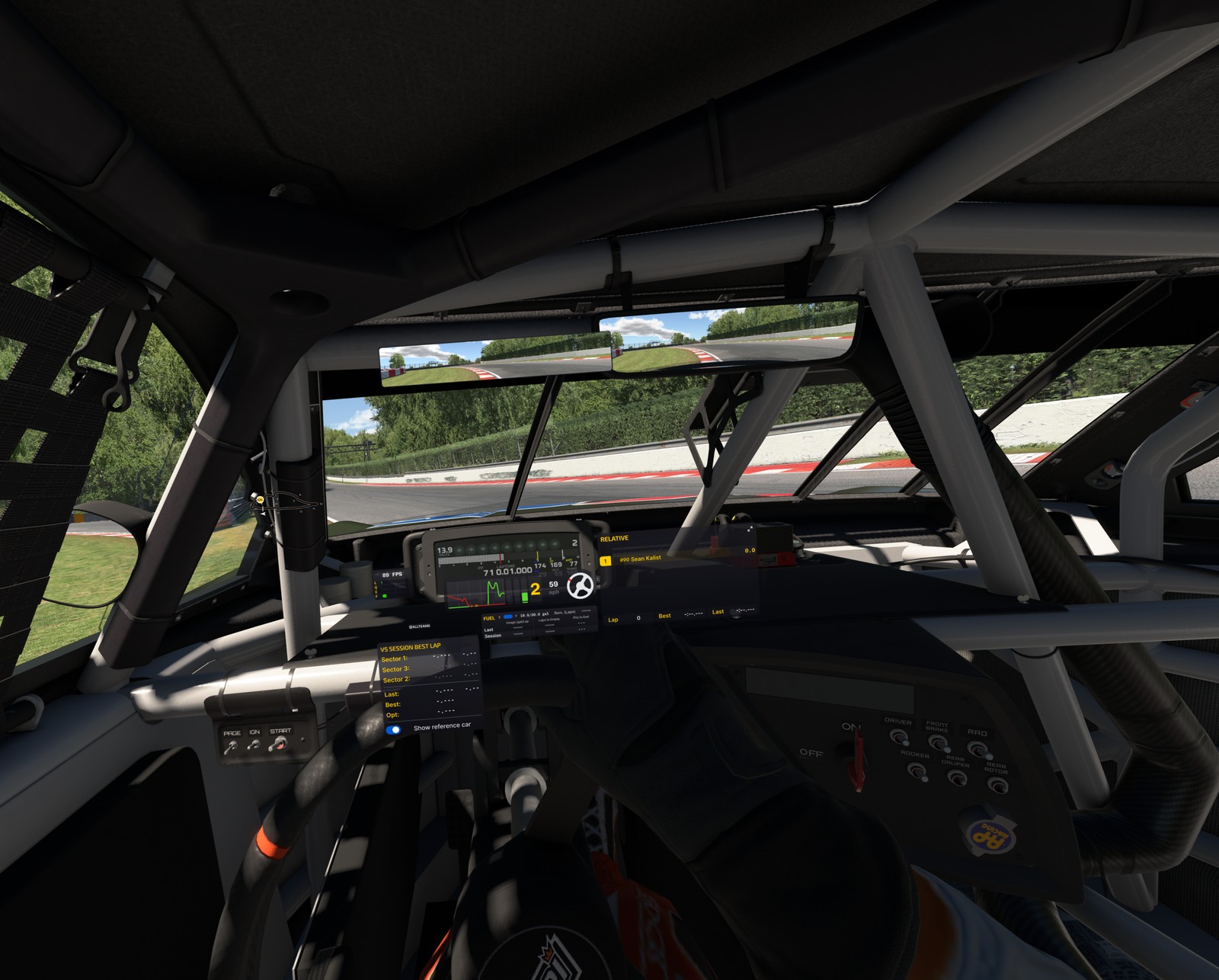
Those are impressive specs, but after spending roughly three hours racing with the Lighthouse version of the Dream Air in iRacing at EchoPark Speedway in the NASCAR Cup Series, I came away thinking about something completely different.
I think lightweight VR may be one of the most important advantages for endurance racing.
Not because it sounds good on a marketing slide.
Because I experienced it.
👉 Learn more about the Dream Air:
https://pimax.com/pages/dream-air?ref=sksimracing&utm_campaign=affiliate_promotions&utm_medium=affiliate&utm_source=goaffpro

We Talk About Resolution Too Much
As sim racers, we tend to focus on the easy things to measure.
Resolution.
Refresh rate.
Field of view.
Pixel density.
Those things absolutely matter.
But after years of VR development, most premium headsets have reached a point where visuals are already very strong. That shifts the conversation toward something else:
How does the headset feel after two hours?
Not two minutes.
Not a demo.
Not a hotlap.
A real race.
Because endurance racing exposes every weakness in a headset.
The Headset Started Disappearing
The biggest thing I noticed during my first night with the Dream Air wasn’t visual quality.
It was that I stopped noticing the headset.
That sounds strange, but VR veterans will understand exactly what I mean.
Every headset creates some level of awareness:
- pressure on your face
- neck fatigue
- forehead pressure
- weight shifting during head movement
You may not consciously think about it, but your brain is constantly processing it.
Three hours into my session, I realized I wasn’t thinking about the headset anymore.
I was thinking about racing.
That’s a huge distinction.
Why This Matters in NASCAR
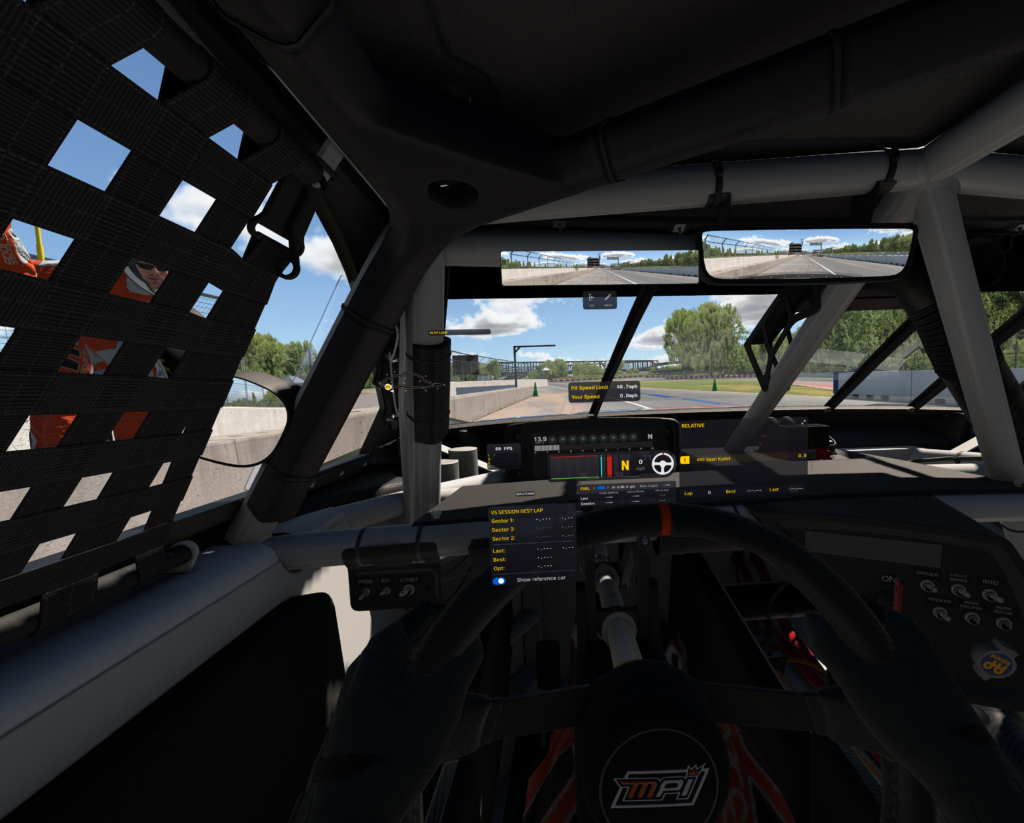
EchoPark Speedway is not an oval where you are chasing braking points.
It’s a place where:
- traffic develops quickly
- positioning matters
- focus matters
- mistakes compound
The longer the run went, the more I appreciated the reduced weight.
Not because my neck hurt with other headsets.
But because there was simply less effort required.
Less headset awareness.
Less adjustment.
Less distraction.
That mental energy stays available for racing decisions instead.
The Unexpected Benefit: Mental Fatigue
This is something I rarely hear discussed in VR reviews.
Physical fatigue is obvious.
Mental fatigue is harder to identify.
Yet I think it’s just as important.
When you’re wearing a heavier headset, there’s a constant low-level reminder that you’re wearing equipment.
The Dream Air reduced that dramatically.
The headset became background noise.
And when the hardware fades away, immersion actually increases.
Traffic Felt Natural
One thing I’ve written about before with the Crystal Light is how VR improves confidence in traffic.
The Dream Air continued that trend.
Several times during the race I found myself running closer to competitors than I probably would on a traditional monitor setup.
Not because I was taking more risks.
Because I trusted what I was seeing.
Depth perception remains one of VR’s greatest strengths.
The Dream Air simply delivers it in a package that feels nearly effortless to wear.
The Visuals Are Every Bit as Good as Advertised
Let’s talk visuals for a moment.
Because they are outstanding.
The dual 4K micro-OLED displays deliver:
- exceptional sharpness
- strong contrast
- deep blacks
- excellent color reproduction
What stood out most was how clean everything looked.
Braking references.
Trackside objects.
Cars ahead.
Dashboard information.
Everything felt crisp and easy to focus on.
Based on my initial testing, the visual quality is clearly among the best I’ve experienced in VR so far.
Lightweight Without Compromise
What makes the Dream Air particularly interesting is that it doesn’t achieve its low weight by stripping features away.
At under 170g, it’s lighter than many bananas — yet it still includes:
- dual 4K micro-OLED displays
- eye tracking
- motorized IPD adjustment
- integrated audio
- Lighthouse tracking
That combination is unusual.
If you look at something like the Bigscreen Beyond 2, it’s also extremely lightweight and clearly designed with comfort in mind. But the Dream Air takes a different approach — delivering that same ultra-light feel while also packing in a broader set of high-end features.
That balance is what makes it stand out.
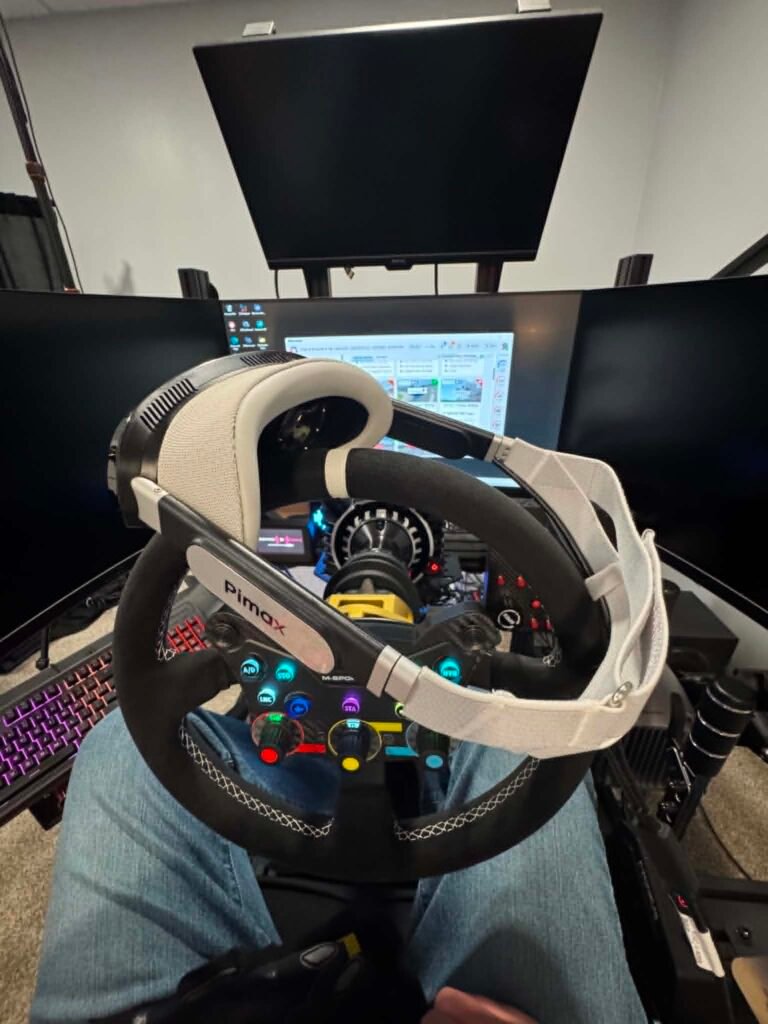
Lighthouse Tracking Remains My Preferred Setup
For sim racing, Lighthouse tracking continues to be my preferred solution.
Once the base stations are installed, they simply work.
The Dream Air Lighthouse version integrated easily into my existing setup.
For cockpit users, that’s a major advantage.
No extra setup every race night.
Just sit down and drive.
Could Lightweight Become More Important Than FOV?
This was the question I kept asking myself after the session.
For years the industry has chased:
- wider FOV
- more resolution
- more brightness
Those improvements are great.
But what if the next major leap isn’t purely visual?
What if it’s comfort?
What if the biggest upgrade is simply forgetting you’re wearing a headset?
After my first few hours with the Dream Air, I think that’s a very real possibility.
The Endurance Racing Test Still Awaits
Three hours is a great first impression.
But it’s not the final verdict.
The real test will come during:
- longer NASCAR races
- endurance events
- multi-hour practice sessions
- league racing
That’s where lightweight design should shine even more.
And honestly, that’s what I’m most excited to test next.
First Impressions: Extremely Promising
It’s still early.
I need significantly more seat time before making any final conclusions.
But my first takeaway is simple:
The Dream Air’s greatest strength may not be the displays.
It may not be the eye tracking.
It may not even be the motorized IPD.
It may be the fact that after several hours of racing, I largely forgot it was there.
And for endurance racing, that could be one of the most important advantages a VR headset can offer.
👉 Learn more about the Pimax Dream Air:
https://pimax.com/pages/dream-air?ref=sksimracing&utm_campaign=affiliate_promotions&utm_medium=affiliate&utm_source=goaffpro
What’s Next?
I’m planning additional testing with:
- Longer NASCAR events
- Road course racing
- Heavy traffic situations
- Extended endurance sessions
I’m particularly interested in seeing whether the reduced weight continues to provide advantages after four, five, or even six hours in the cockpit.
If the first three hours are any indication, Pimax may be onto something important—not just improving specs, but improving how VR feels over time.
Affiliate Disclosure: This article contains affiliate links. If you purchase through these links, SKSimRacing may earn a commission at no additional cost to you.
Media Disclosure: SKSimRacing has permission from Pimax to use product images and promotional materials featured in this article.
Featured
Is the Pimax Crystal Super Overkill for Most Sim Racers? After Several Hours in the 57 PPD Version, Here’s My Honest Opinion
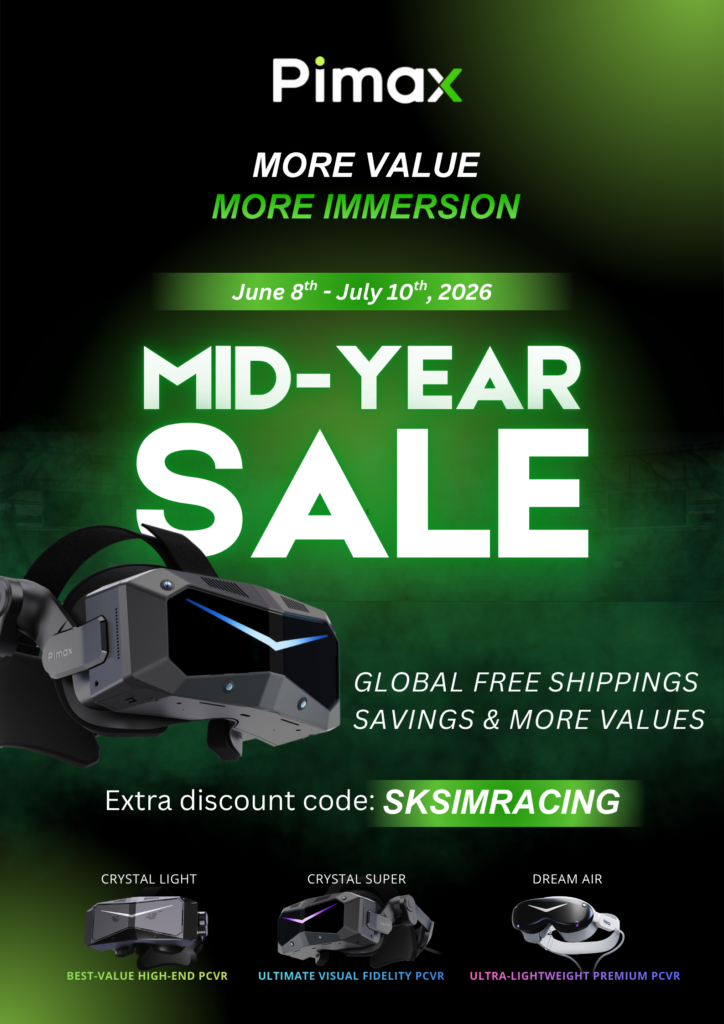
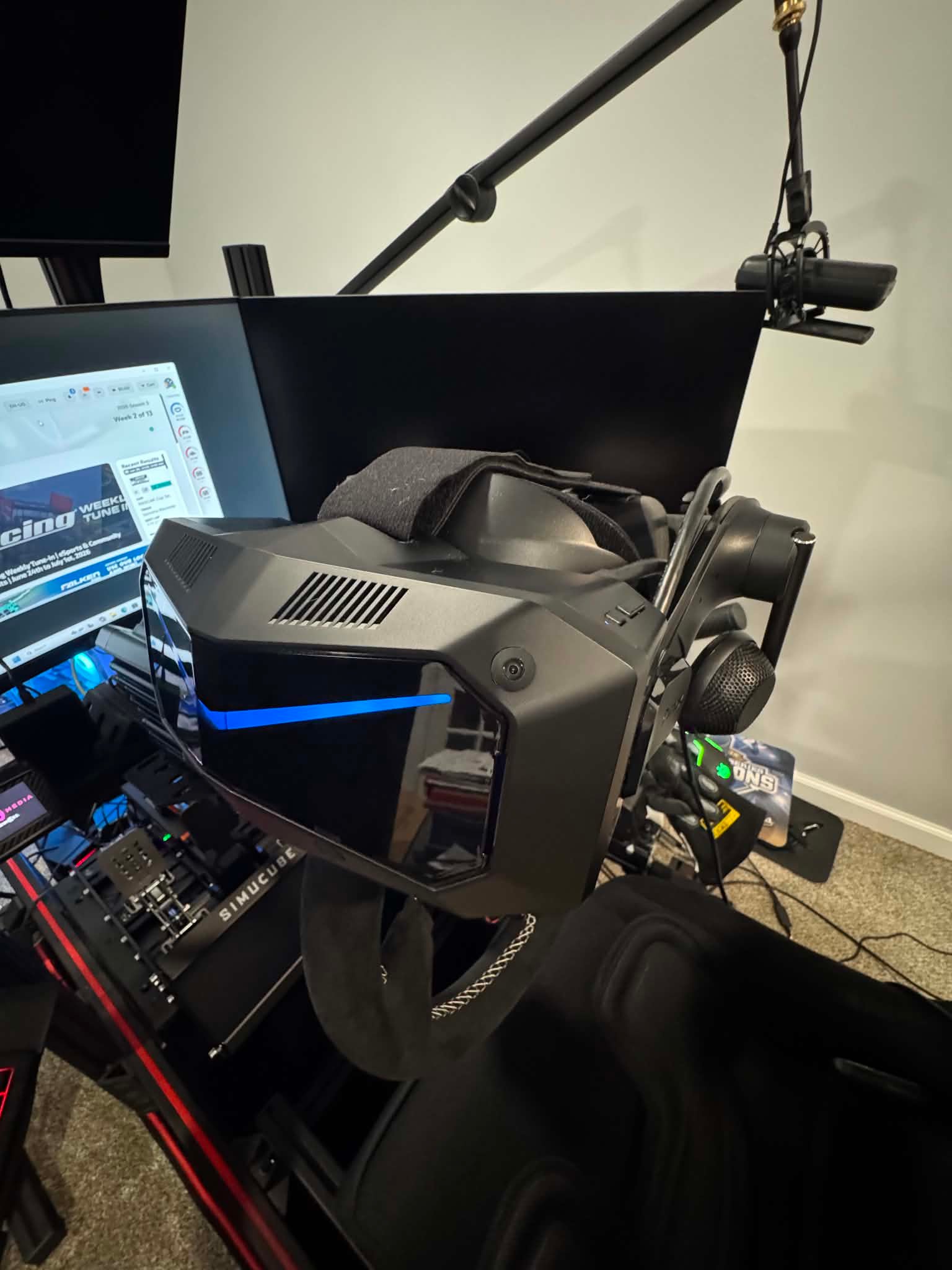
Is the Pimax Crystal Super 57 PPD more VR headset than most sim racers actually need, or does it deliver meaningful advantages that only become apparent after hours behind the wheel? After spending several sessions racing in iRacing with the Crystal Super—equipped with DMAS headphones and the Ice Silk Facial Foam—I came away with a very different opinion than I expected. Here’s why “overkill” may not be the right word after all.
The Question I Kept Asking Myself
When I thought about whether the Crystal Super is “overkill” for sim racers, my first reaction was simple:
Probably.
After all, I had already spent a lot of time with the Crystal Light.
The Crystal Light is excellent.
It has become one of my favorite VR headsets for iRacing because it strikes an outstanding balance between clarity, performance, and value.
So naturally I wondered…
How much better could the Crystal Super really be?
After several hours using the 57 PPD Crystal Super, I don’t think the answer is as simple as yes or no.
👉 Learn more about the Crystal Super:
https://pimax.com/products/pimax-crystal-super?ref=sksimracing&utm_campaign=affiliate_promotions&utm_medium=affiliate&utm_source=goaffpro&variant=42548234190891
First Impressions Can Be Misleading
When people first put on a premium VR headset, they’re usually looking for a dramatic “wow” moment.
That’s actually not what happened to me.
Instead, the improvements revealed themselves gradually.
After a few laps…
After a few battles…
After settling into traffic…
I realized something interesting.
I wasn’t noticing one huge improvement.
I was noticing dozens of little improvements.
And those small improvements started adding up.
The Difference Isn’t Just Resolution
Obviously the Crystal Super is incredibly sharp.
That’s expected.
But what surprised me wasn’t simply the amount of detail.
It was how effortless it became to process everything happening around me.
Cars farther ahead remained easier to identify.
Trackside reference points stayed incredibly crisp.
Dashboard information felt almost effortless to read.
I wasn’t constantly refocusing my eyes.
Everything simply looked… natural.
The 57 PPD Experience
The 57 PPD version isn’t chasing impressive specifications for their own sake.
Instead, the higher pixel density changes how your brain processes the race.
You’re no longer trying to interpret blurry information.
You’re simply driving.
That distinction became more noticeable the longer I raced.
The headset almost disappears because your eyes stop working as hard.
The Unexpected Comfort Upgrade
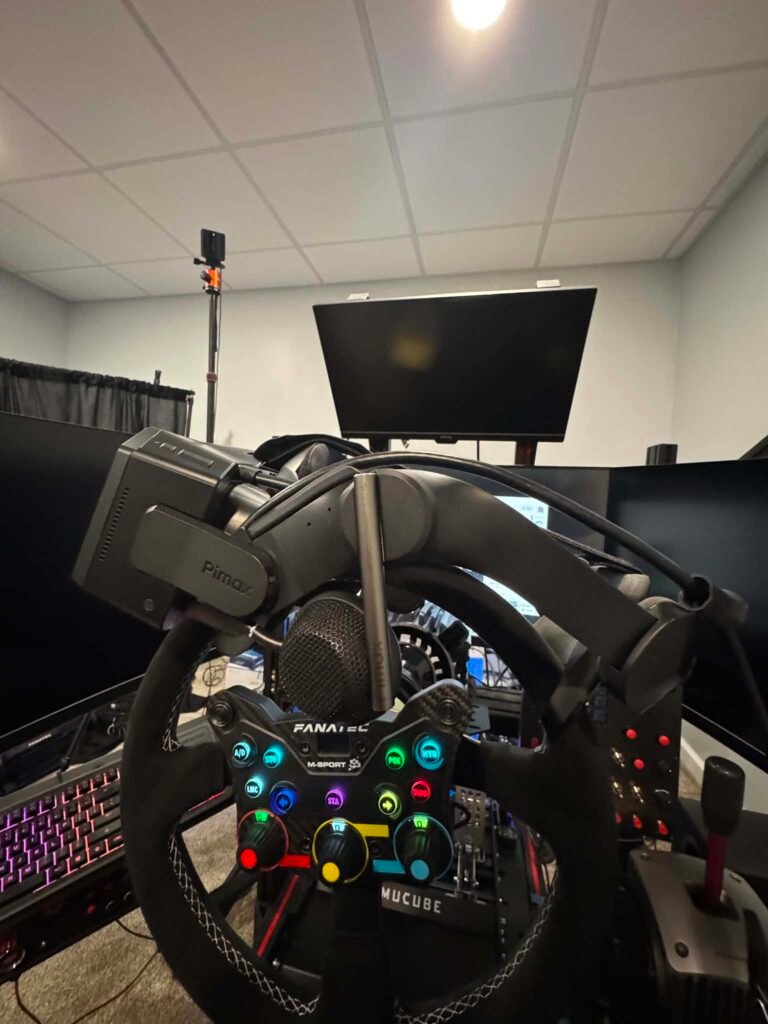
One thing worth mentioning is my setup.
For these sessions I installed:
Honestly, I think both are worthwhile upgrades.
The DMAS headphones provide fuller, more immersive audio while eliminating the need for separate headphones.
The Ice Silk Facial Foam may sound like a small accessory, but after several hours it makes a noticeable difference.
Heat buildup is reduced.
The interface feels cooler against your face.
It’s a simple change that contributes to long-session comfort.
As someone who frequently spends multiple hours in iRacing, those little improvements matter.
Is This Where “Overkill” Stops Being Overkill?
Here’s where my opinion changed.
If your goal is simply to experience VR…
Yes.
The Crystal Super is probably more than you need.
But serious sim racing isn’t about simply experiencing VR.
It’s about reducing distractions.
Every improvement that lets you focus more on driving has value.
The Crystal Super doesn’t make me faster overnight.
What it does is remove friction.
Less eye strain.
Less visual uncertainty.
Less effort interpreting distant objects.
More confidence.
Those things accumulate over a two-hour race.
What Stood Out Most During Racing
The biggest surprise wasn’t the center of the image.
It was consistency across my entire field of view.
During side-by-side racing I wasn’t constantly moving my head trying to verify what I was seeing.
Everything stayed remarkably clear.
That helped in several situations where I felt comfortable committing to a line because I trusted the information I was receiving.
That’s difficult to quantify.
But it’s something you absolutely notice.
Crystal Light vs Crystal Super
This is probably the question everyone wants answered.
Here’s how I currently see it.
| Crystal Light | Crystal Super 57 PPD |
|---|---|
| Outstanding value | Premium no-compromise experience |
| Easier on GPU requirements | Maximum visual fidelity |
| Excellent for most racers | Built for enthusiasts chasing every advantage |
| My recommendation for many users | My recommendation if budget isn’t the limiting factor |
Would I still recommend the Crystal Light?
Absolutely.
In fact, for many readers it’s probably still the smarter purchase.
But after spending real time inside the Crystal Super, I understand exactly who it’s built for.
Who Should Buy the Crystal Super?
I think the Crystal Super makes the most sense if you:
- Race multiple nights every week.
- Spend hours at a time in VR.
- Already own a high-end PC.
- Value visual clarity as much as force feedback.
- Want to build a long-term cockpit without wondering “what if.”
If that sounds like you…
No.
I don’t think it’s overkill.
I think it’s exactly what Pimax intended it to be.
My Biggest Takeaway
If you’d asked me before trying it, I would have said the Crystal Super was probably beyond what most sim racers needed.
After actually racing with it…
My opinion changed.
Not because of one spectacular feature.
But because of how many tiny improvements quietly disappeared into the background until all that was left was the race.
The headset stopped being something I was evaluating.
It became something I trusted.
And for me, that’s the highest compliment I can give any piece of sim racing hardware.
Final Verdict
Is the Crystal Super overkill?
For casual VR users?
Probably.
For someone who races iRacing once a month?
Maybe.
For someone who spends several nights a week chasing hundredths of a second, building a dedicated cockpit, and wanting the most refined visual experience available today?
I don’t think “overkill” is the right word anymore.
I think it’s purpose-built.
👉 If you’d like to learn more about the Crystal Super or see the latest configurations, you can check them out here: https://pimax.com/pages/pimax-crystal-super?ref=sksimracing
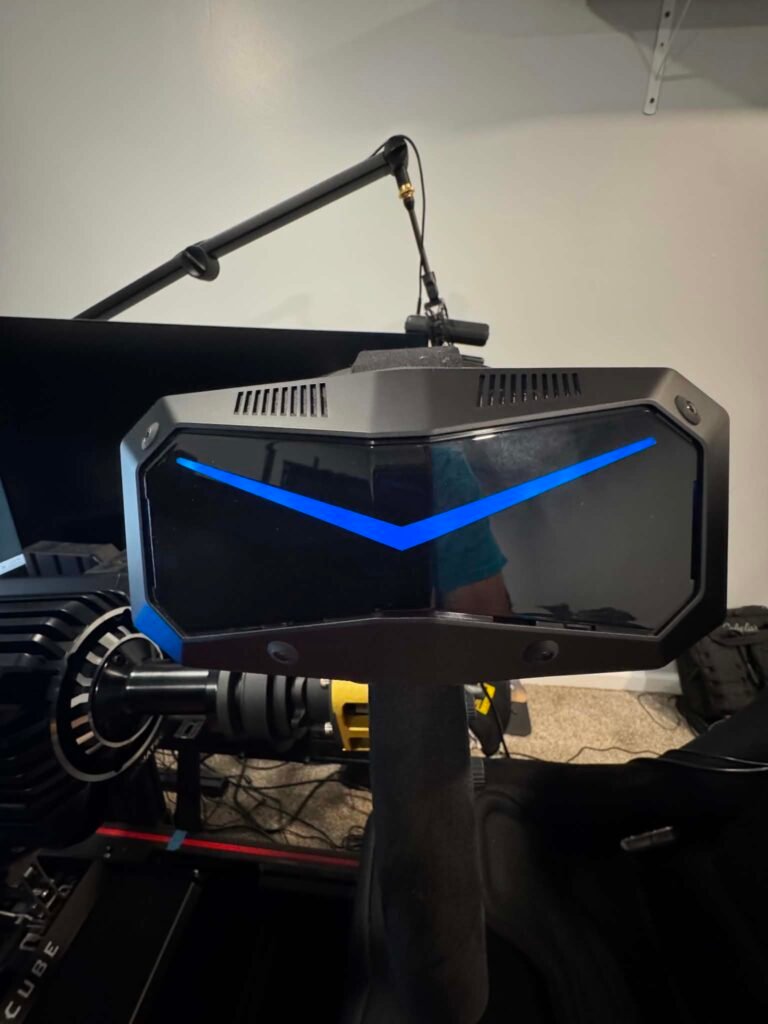
I’ll continue putting more hours on the Super as well as the “Dream Air” headset over the coming weeks, including longer NASCAR races, road courses, and endurance sessions. As I spend more time with it, I’ll be sharing additional impressions here on SKSimRacing.
Affiliate Disclosure: This article contains affiliate links. If you purchase through these links, SKSimRacing may earn a commission at no additional cost to you. These partnerships help support the reviews and testing you see on this site.
Media Disclosure: SKSimRacing has permission from Pimax to use product images and promotional materials featured in this article.
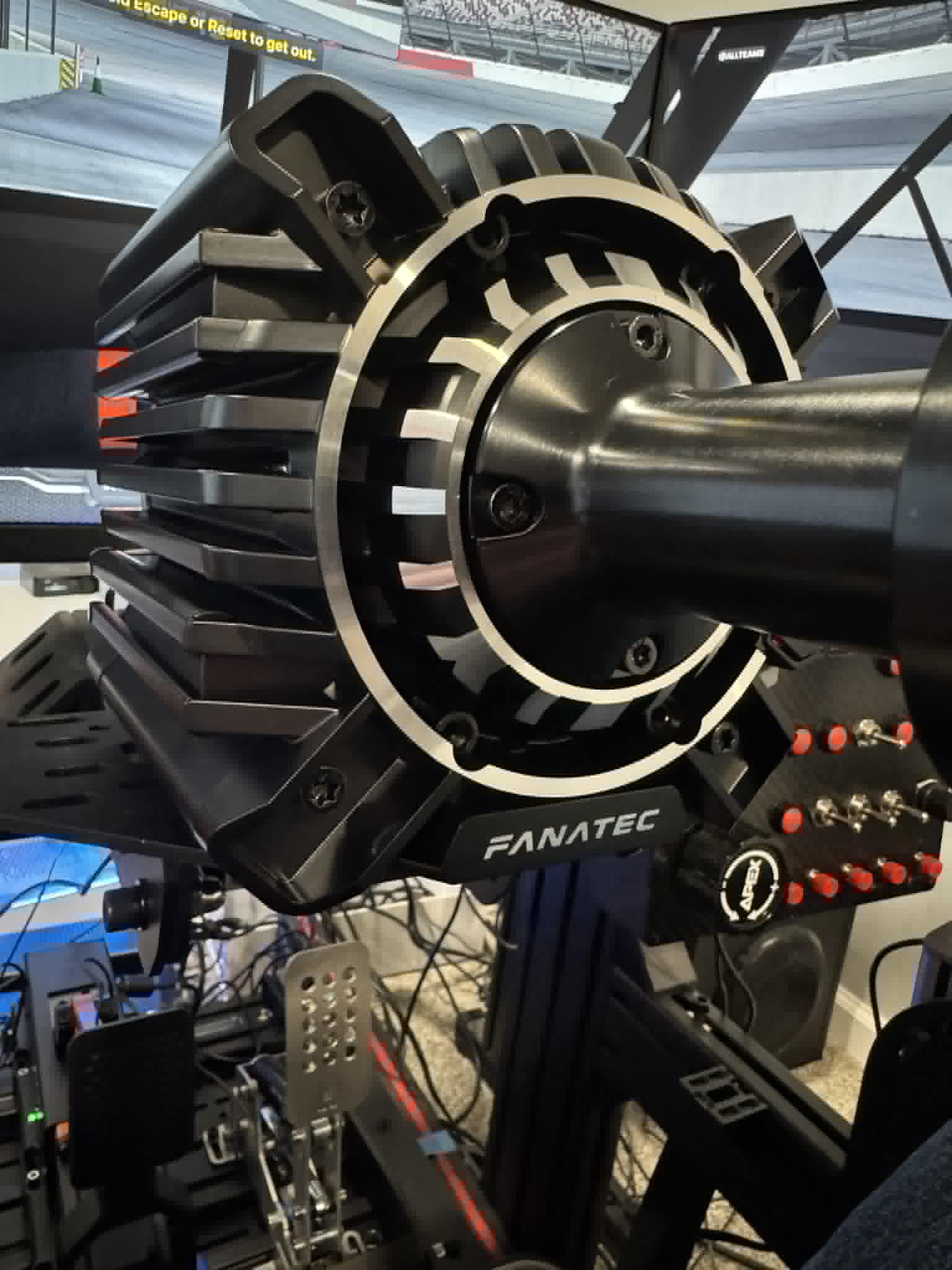
A few months ago, I published my first impressions of the Fanatec Podium DD after three NASCAR Next Gen league races and roughly four hours behind the wheel.
At the time, I was impressed by the wheelbase’s smoothness, fidelity, and ability to communicate subtle details from the racing surface.
Now, after approximately 20 hours of use, I can confidently say those early impressions were not a honeymoon phase.
If anything, the Podium DD continues to impress the more time I spend with it.
And this week’s NASCAR schedule provided the perfect test.
Sonoma Separates Good Hardware From Great Hardware
This week, our NASCAR Next Gen league headed to Sonoma Raceway.
For many oval racers, Sonoma can be one of the most challenging tracks on the calendar.
Unlike superspeedways or intermediate ovals, Sonoma demands precision. Every braking zone, every curb, every elevation change, and every corner exit matters.
That makes it a fantastic place to evaluate a direct drive wheelbase.
The Fanatec Podium DD absolutely shined.
If you’d like to see the current Fanatec Summer Sale, check it out here:
👉 https://fanatec.sjv.io/7XGMAQ
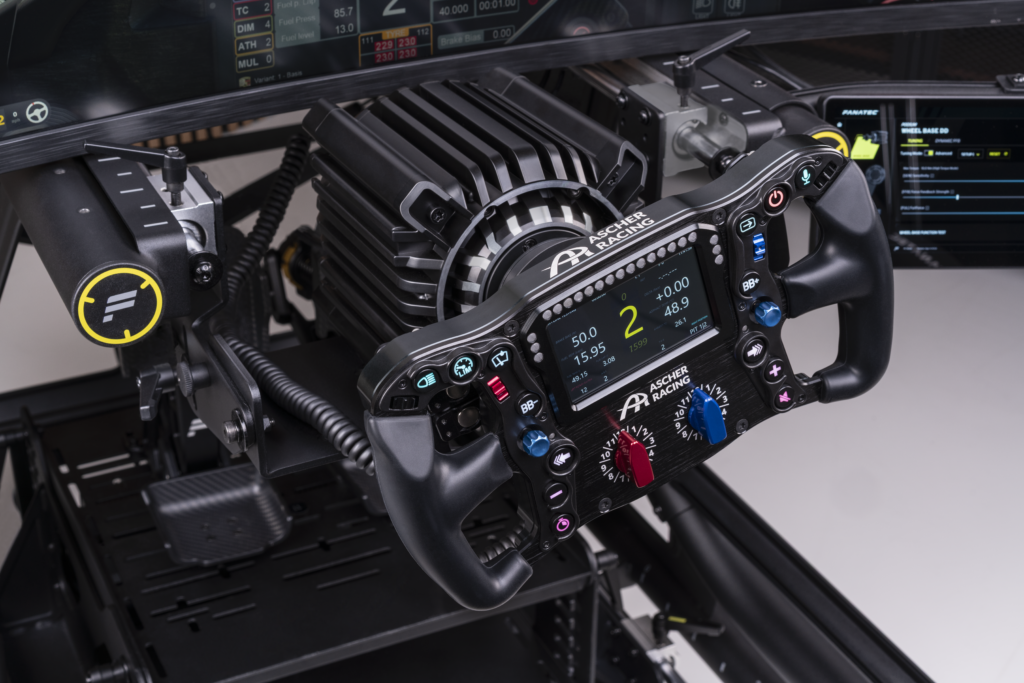
The Fidelity Continues to Impress
The word I keep coming back to is fidelity.
Many wheelbases are capable of producing strong force feedback.
Far fewer are capable of delivering meaningful information without overwhelming the driver.
The Podium DD continues to strike that balance exceptionally well.
At Sonoma, I could clearly feel:
- Changes in grip level throughout the lap
- Weight transfer during heavy braking
- Front tire loading entering corners
- Subtle curb strikes
- Surface transitions across the racing line
- Rear tire movement during corner exit
Nothing felt exaggerated.
Nothing felt artificial.
Instead, the wheel communicated exactly what the car was doing while remaining remarkably smooth.
Smoothness Matters More Than Maximum Torque
When sim racers discuss premium wheelbases, torque numbers often dominate the conversation.
But after spending significant time with the Podium DD, I believe smoothness may be its most underrated strength.
There is never a feeling that the wheel is fighting itself.
There is no harshness.
No unnecessary spikes.
Just a constant flow of information coming through the steering wheel.
That smoothness allows the finer details to stand out.
Instead of sorting through noise, you’re processing useful information.
And when you’re trying to thread a NASCAR Next Gen car through Sonoma’s technical sections, that matters.
Building Confidence Every Lap
One of the biggest surprises over these first 20 hours is how much confidence the wheelbase inspires.
As drivers, confidence often comes from predictability.
The better you understand what the car is doing, the closer you can operate to the limit.
The Podium DD consistently provides that understanding.
Whether it’s the front tires beginning to push, the rear tires starting to rotate, or the car loading up during braking, the information arrives early and clearly.
That’s particularly valuable on a circuit like Sonoma where mistakes are punished quickly.
Fanatec’s Summer Sale Has Arrived
Interestingly, this update comes at the same time Fanatec has launched its Summer Sale.
For sim racers who have been waiting to upgrade their equipment, this may be one of the better opportunities of the year.
You can view the Summer Sale here:
👉 https://fanatec.sjv.io/7XGMAQ
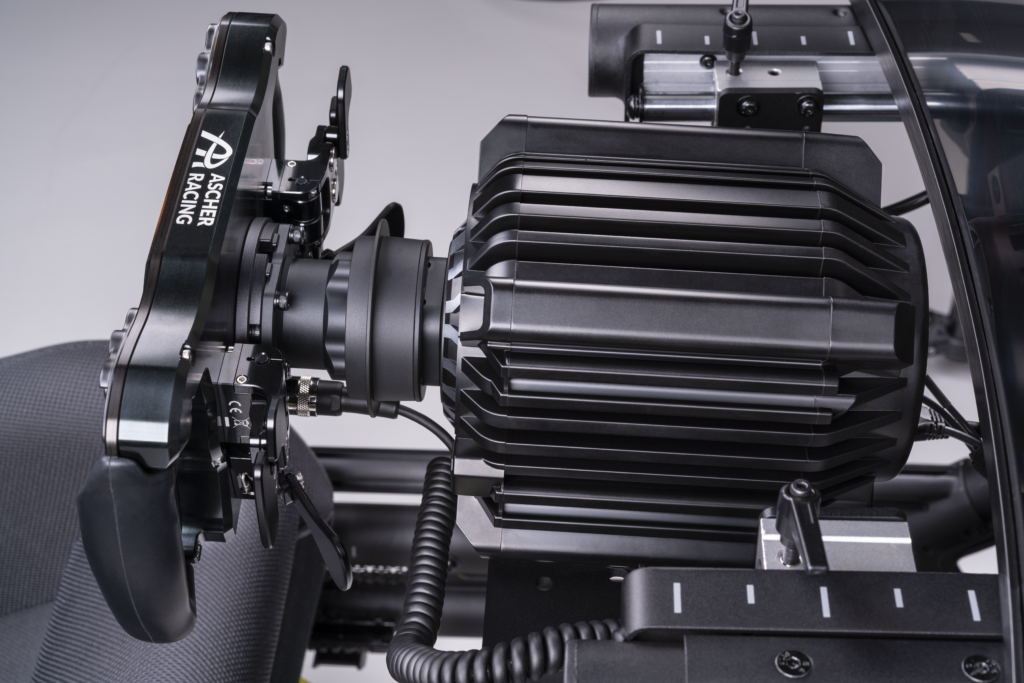
As someone currently spending significant time testing the Podium DD, I can honestly say it has exceeded my expectations so far.
What’s Next?
Twenty hours is enough to move beyond first impressions.
But it’s still early in the overall testing process.
Over the coming weeks I’ll continue evaluating the Podium DD across:
- NASCAR Next Gen oval racing
- Additional road course events
- Long-run tire management scenarios
- Different wheel configurations
- Comparisons against other Fanatec wheelbases
- Additional iRacing disciplines
I also want to continue exploring a question many racers are asking:
How much better is the Podium DD than the ClubSport DD+ in real-world racing situations?
The answer is becoming clearer every week.
Final Thoughts After 20 Hours
After roughly 20 hours behind the wheel, the Fanatec Podium DD continues to impress.
Its combination of smoothness, fidelity, detail, and consistency creates an experience that feels genuinely premium.
Sonoma Raceway has been one of the best tests yet, and the wheelbase handled everything the NASCAR Next Gen car could throw at it.
More importantly, it continues to do what every great piece of sim racing hardware should do:
Help you feel connected to the car.
For me, that’s been the biggest takeaway so far.
If you’re interested in checking out Fanatec’s Summer Sale or learning more about the products currently available, visit:
👉 https://fanatec.sjv.io/7XGMAQ
Stay tuned to SKSimRacing.com as I continue putting more laps, more races, and more hours on the Podium DD.
The full review is still coming.
🔗 Affiliate links – I may earn a small commission at no extra cost to you.-
 Featured3 years ago
Rev Up Your Sim Racing Experience with SK Sim Racing: Discover High-Quality Sim Wheels, Pedals, Shifters & More – Exclusive Discounts and Offers Await!
-
 Products3 years ago
Boost Your Sim Racing Experience with Exclusive Deals from Fanatec, Digital-Motorsports, Demon-Tweeks, Ricmotech & Trak Racer
-
 Featured5 years ago
Rev Up with The Oval Wheel: Unleash the Thrill of Racing
-
 Sim Racing3 years ago
Experience the Thrill of Virtual Racing: Unlocking the Exciting World of Sim Racing and Beyond!
-
 Featured6 years ago
New Rig Build
-
 Featured5 years ago
Fanatec CSL Elite Steering Wheel McLaren GT3 V2
-
 Products6 years ago
Sim Racing Gloves
-
 Products5 years ago
You have to Shift !